Like all aging hardware, Asus laptop screens are prone to developing faults over time. A cracked or flickering display doesn't mean your laptop is done. With the right Asus laptop screen component, you can restore your device's performance without having to replace your laptop! Whether you're trying to fix flickering Asus screen issues or looking to buy Asus laptop panel, understanding compatibility is the key to a smooth repair. Screens are one of the most commonly replaced laptop components. Daily opening and closing, pressure inside bags, accidental drops, or simple panel wear over time can all lead to display issues. But luckily, in most cases, replacing the screen is far more affordable than replacing the entire laptop and when done correctly, your device can look and feel brand new again.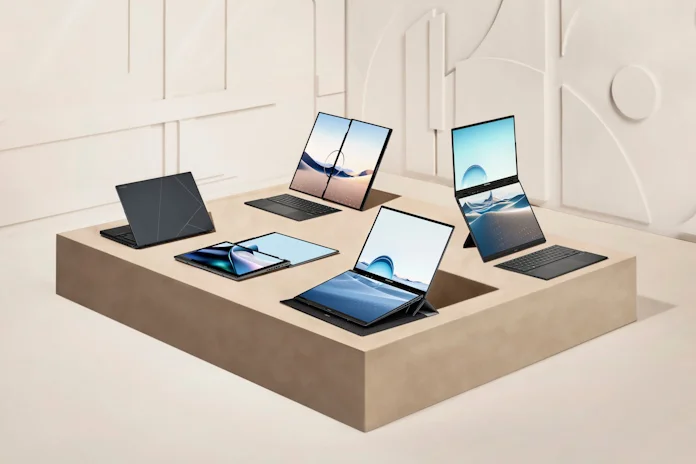
The Zenbook Duo uses a magnetic, detachable Bluetooth keyboard that sits between the screens. This means the lower screen surface is subject to different types of wear and tear (magnetic friction, debris trapped under the keyboard) compared to a traditional laptop.
Start with compatibility
Before purchasing a new screen, confirm your laptop model and current panel specifications. A reliable laptop display compatibility guide always starts with three core elements:
- Pin Count: Most Asus screens use 30-pin or 40-pin eDP connectors. Choosing the wrong pin configuration will prevent the display from working properly. Even if the screen size looks identical, the connector type must match exactly.
- Mounting Style: Screens can have side brackets, top and bottom mounts, slim bezel adhesive designs, or be fully frameless. Matching the mounting layout ensures a secure and flush fit inside your display assembly.
- Resolution & Refresh Rate: Your motherboard must support the resolution and refresh rate of the new panel. Upgrading from Full HD (1920x1080) to QHD or 4K may not be possible unless the system supports it. Likewise, switching from 60Hz to 120Hz or 144Hz requires GPU and cable compatibility.
If you're considering a replacement OLED screen module for Zenbook or another premium model, double-check motherboard compatibility before upgrading. OLED panels offer superior contrast, deeper blacks, and more vivid colors, but they require proper system support to function correctly. The best way to guarantee a compatible replacement is to send our team a message with the serial number of your device. This way, we will be able to provide you a list of all the parts we have in stock that are exact matches for your laptop.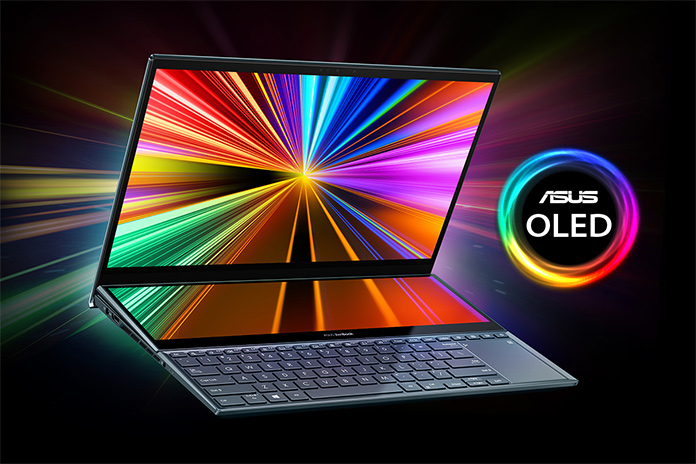
OLED (Organic Light-Emitting Diode) is a display technology where each individual pixel produces its own light.
Diagnosing the problem before replacing
Not all display issues are caused by the LCD panel itself. Before ordering a replacement, confirm the root cause of the problem:
• Flickering or intermittent display: May indicate a loose or damaged display flex cable rather than a faulty screen. View our loose cable guide for more details.
• Vertical or horizontal lines: Often panel damage, but could also be GPU-related.
• Completely black screen with faint image: Could point to a backlight failure.
• No display at all: Test with an external monitor to rule out motherboard or graphics issues.
Performing these checks helps ensure you're replacing the correct component and avoids unnecessary returns or additional repairs.
LCD Panel or Complete Display Module?
When replacing your screen, you typically have two options depending on your device condition and technical comfort level:
1. LCD Panel Only
Ideal if your bezel, hinges, Wi-Fi antennas, and cables are intact. This is the most cost-effective solution for cracked screens and experienced DIY repairs.
2. Complete Display Module
This usually includes the full LCD panel, bezel, hinges, and often antenna cables. This is ideal if the frame is damaged, the hinges are bent, or you prefer a faster, simpler installation. As shown below, this complete screen replacement for the Asus VivoBook 17 includes a 30 pin connector and mounting brackets at the top and bottom.
A full module can save time and reduce alignment issues, especially on thin-bezel or glued designs. It minimizes the risk of cosmetic imperfections after installation.
Understanding screen technologies
Asus laptops use various panel technologies depending on the model:
• TN Panels: Affordable and responsive, commonly found in entry-level systems.
• IPS Panels: Wider viewing angles and improved color accuracy.
• OLED Panels: Premium displays offering exceptional contrast and vibrant color depth.
• High-Refresh Gaming Panels: 120Hz, 144Hz, 240Hz, or higher for smoother gameplay.
If you primarily use your laptop for gaming, creative work, or media editing, selecting the right panel type can significantly improve your experience.
Basic steps to replace your Asus display
While each model varies slightly, the general process includes:
• Power off and unplug your laptop
• Disconnect the internal battery if accessible
• Carefully remove the bezel (clip or adhesive-based)
• Unscrew and disconnect the damaged panel. For lost screws, we offer exact replacements.
• Connect and secure the new screen
• Reassemble and test before sealing everything
Take your time during disassembly. Modern thin laptops often use delicate clips or adhesive strips. Avoid forcing the bezel, and never pull on the cable without unlocking the connector latch. For full step-by-step guidance, watch our complete laptop disassembly video tutorials on our YouTube channel and take a look at our screen replacement guide. You can browse all guides on our help desk page. Clear instructions help reduce risks and ensure a successful repair.
Common installation mistakes to avoid
Even simple repairs can go wrong if rushed. Avoid these common mistakes:
• Forgetting to disconnect the battery before removing the panel
• Pulling the display cable instead of unlocking the connector
• Over-tightening mounting screws
• Not testing the screen before full reassembly
• Applying pressure directly to the LCD surface
Testing the new panel before fully sealing the bezel ensures everything works correctly and saves time if adjustments are needed.
Upgrade your visual experience today
Whether you need a simple replacement LCD panel, a high-performance OLED assembly, a new display cable, or a touchscreen, choosing the correct component ensures long-term reliability and optimal performance. Replacing your screen is one of the most impactful upgrades you can make. A clear, bright, properly calibrated display restores comfort, productivity, and enjoyment. Don't settle for a dim or damaged display. Take the time to confirm compatibility, choose the right panel type, and follow careful installation steps to bring your Asus laptop back to life.