At Asus Accessories, we sell only genuine ASUS replacement batteries and we want your old one handled safely and responsibly. Lithium-ion packs shouldn’t go in the trash: they can spark fires and are regulated waste in many regions. Below is a practical, up-to-date guide: how to remove a laptop battery, what to do if it’s damaged, and the easiest ways to recycle it (store drop-off or ASUS mail-in).
Quick tips
- Don’t bin it. Laptop batteries must be recycled, not thrown away.
- If it’s swollen or damaged: power down, do not puncture or press, and seek drop-off recycling ASAP.
- Easy recycling: Many retailers (e.g., Best Buy, office/electronics stores) accept laptop batteries. If you can’t get to a store, use ASUS’s Global Take-Back mail-in program.

How to remove an Asus laptop battery (general steps)
Models vary, but these steps cover most modern Asus laptops (ROG, TUF, Zenbook, VivoBook, ProArt). If your model differs, check our YouTube channel for a model-specific teardown.
- Shut down & unplug. Power off Windows completely. Unplug the AC adapter and peripherals.
- ESD & work surface. Work on a clean, hard, non-conductive surface. Ground yourself (ESD strap or touch grounded metal).
- Discharge residual power. Hold the power button 10–15 seconds after shutdown.
-
Remove bottom cover.
- Remove all screws (some may hide under feet or labels).
- Use a plastic pry tool to release clips; no metal blades.
- (If accessible) Battery disconnect switch. Some boards expose a battery off switch or pin, toggle it if present.
-
Disconnect the battery cable.
- Identify the battery pack (flat, rectangular; usually mid-to-front).
- Gently unplug the battery connector from the motherboard straight out.
- If a ZIF latch (for a flat ribbon) is used, flip the tiny latch up first. Never pull a locked ribbon.
- Remove mounting screws/adhesive. Most packs are screwed down; a few use mild adhesive. If adhesive is present, do not bend or twist the pack. Work slowly with plastic cards; add a little isopropyl alcohol around adhesive strips if needed.
- Lift the pack out, level. Keep it flat; avoid pressure points. Place it in a non-conductive tray or bag.
Reinstalling a new genuine ASUS battery is the reverse order. Don’t overtighten screws, and ensure the cable is fully seated.
If the battery is swollen, punctured, or smells sweet/solvent-like
- Stop using the laptop immediately. Do not charge it.
- Do not press on the cover to “flatten” it; don’t try to deflate or pierce the pack.
- No heat, no metal tools. Heat softens pouches and increases risk.
- If you must move it, place it in a fire-resistant container (metal tin with a loose lid or LiPo bag) and take it to a recycler as soon as possible.
- Prefer in-person drop-off for obviously damaged packs; some couriers restrict mailing compromised lithium batteries.
Where (and how) to recycle your old battery
1) Retail drop-off (fast & free in many areas)
Many electronics and office retailers run battery take-back—Best Buy, office-supply chains, and some hardware stores (often via Call2Recycle partners). Bring the bare battery (terminals covered with tape), and ask at the customer service desk.
2) Local e-waste or municipal collection
Your city/county waste authority often lists household hazardous waste (HHW) events or permanent e-waste depots that accept lithium-ion batteries.
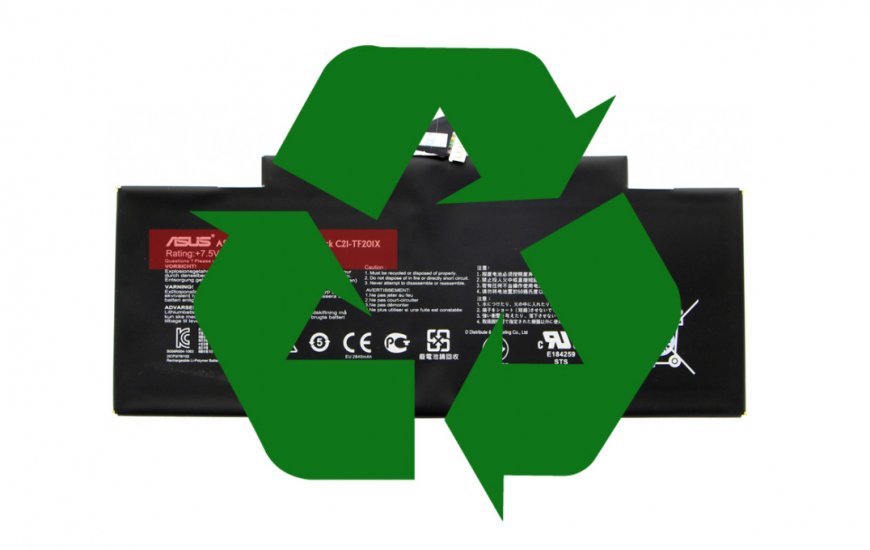
3) ASUS Global Take-Back — Mail-in service
If you’re not near a store, ASUS can help. Use their Global Take-Back Service to generate a return:
👉 https://esg.asus.com/en/circular-economy/resource-regeneration/global-take-back-service
Packing tips for mail-in:
- Insulate the terminals with non-conductive tape.
- Place the battery in a plastic bag; cushion inside a sturdy box.
- Follow the label/instructions ASUS provides; don’t ship a visibly swollen or leaking pack unless the program explicitly permits it.
When to replace (and how to pick the right battery)
- Symptoms: Rapid percentage drops, random shutdowns at 20–40%, swelling, or Windows “consider replacing your battery” messages.
- Match by model & part number: Use your exact model (e.g., GA402, GU603, UX325) and battery PN to avoid fit/connector mismatches. We can help verify compatibility from your serial/SN or part code.
- Choose OEM. Genuine ASUS packs match the original capacity, protection circuitry, and board firmware expectations.
Need a walkthrough? We publish step-by-step teardowns and repairs on our YouTube channel:
👉 Accessoires Asus TV
Why recycling matters (and it’s the law in many places)
Lithium-ion batteries contain materials that can ignite in landfills and pollute soil and water. Many jurisdictions fine improper disposal. Recycling recovers valuable metals and keeps your community safer.
We’re here to help
If you’d like us to identify the correct OEM battery for your device, contact Asus Accessories support.