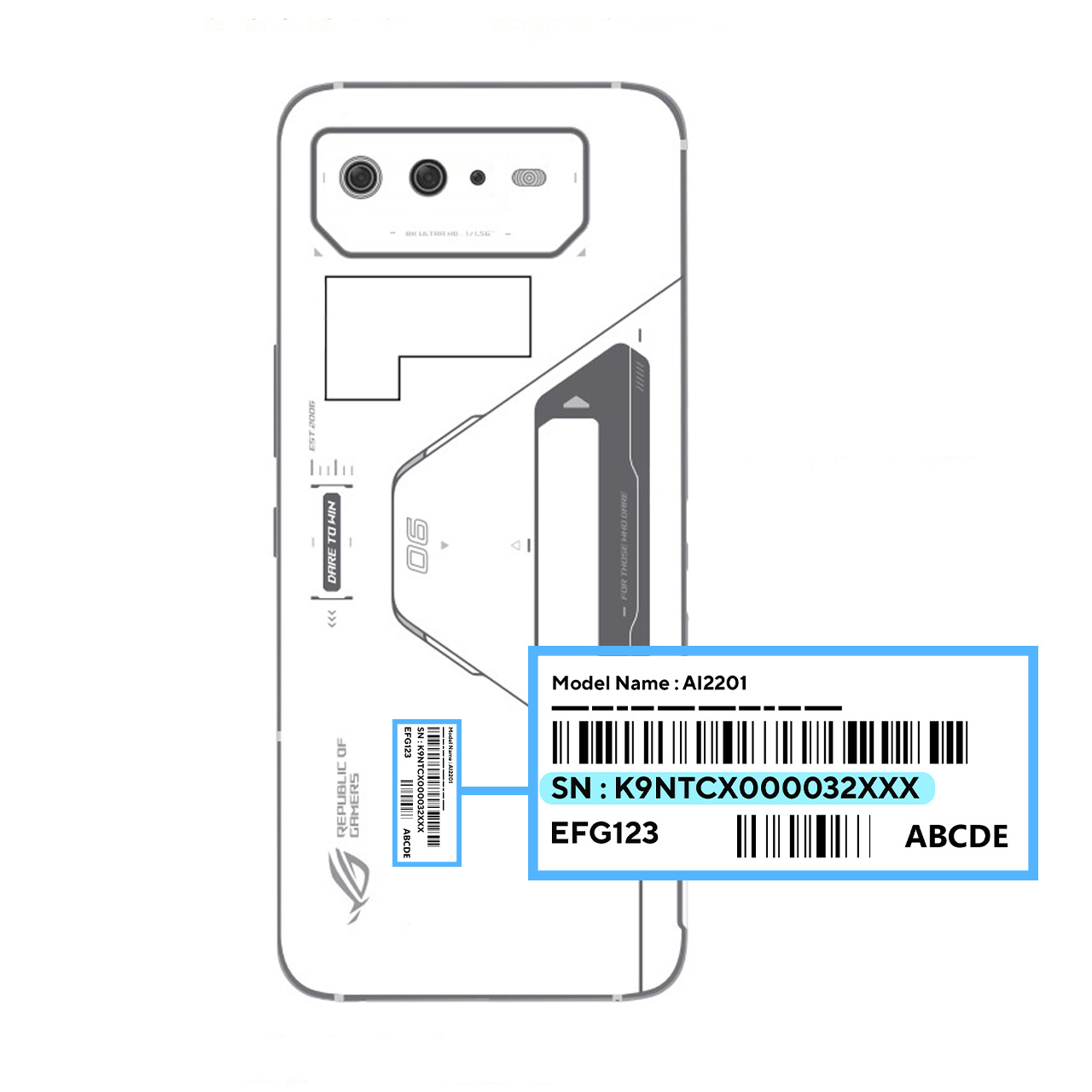
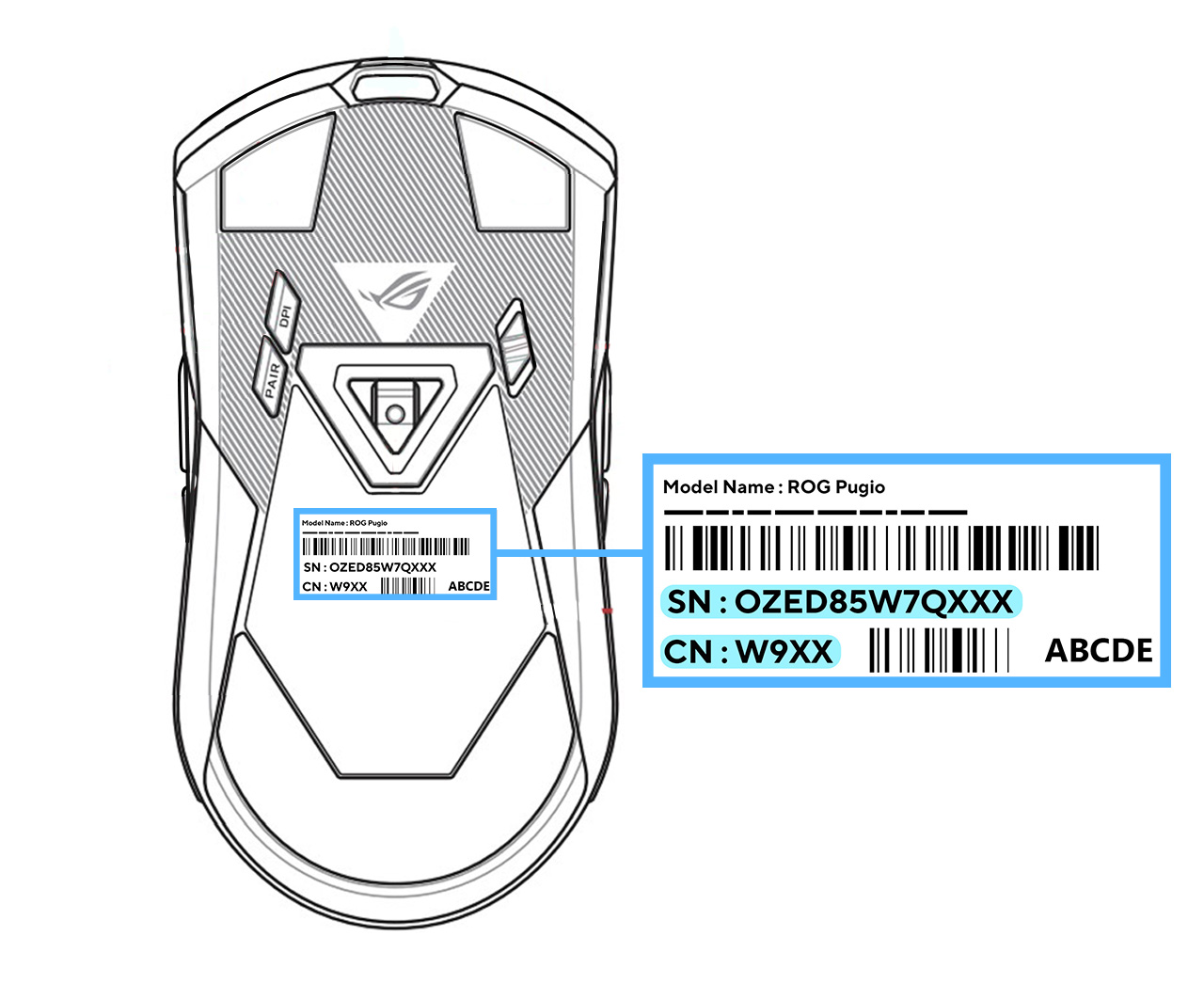
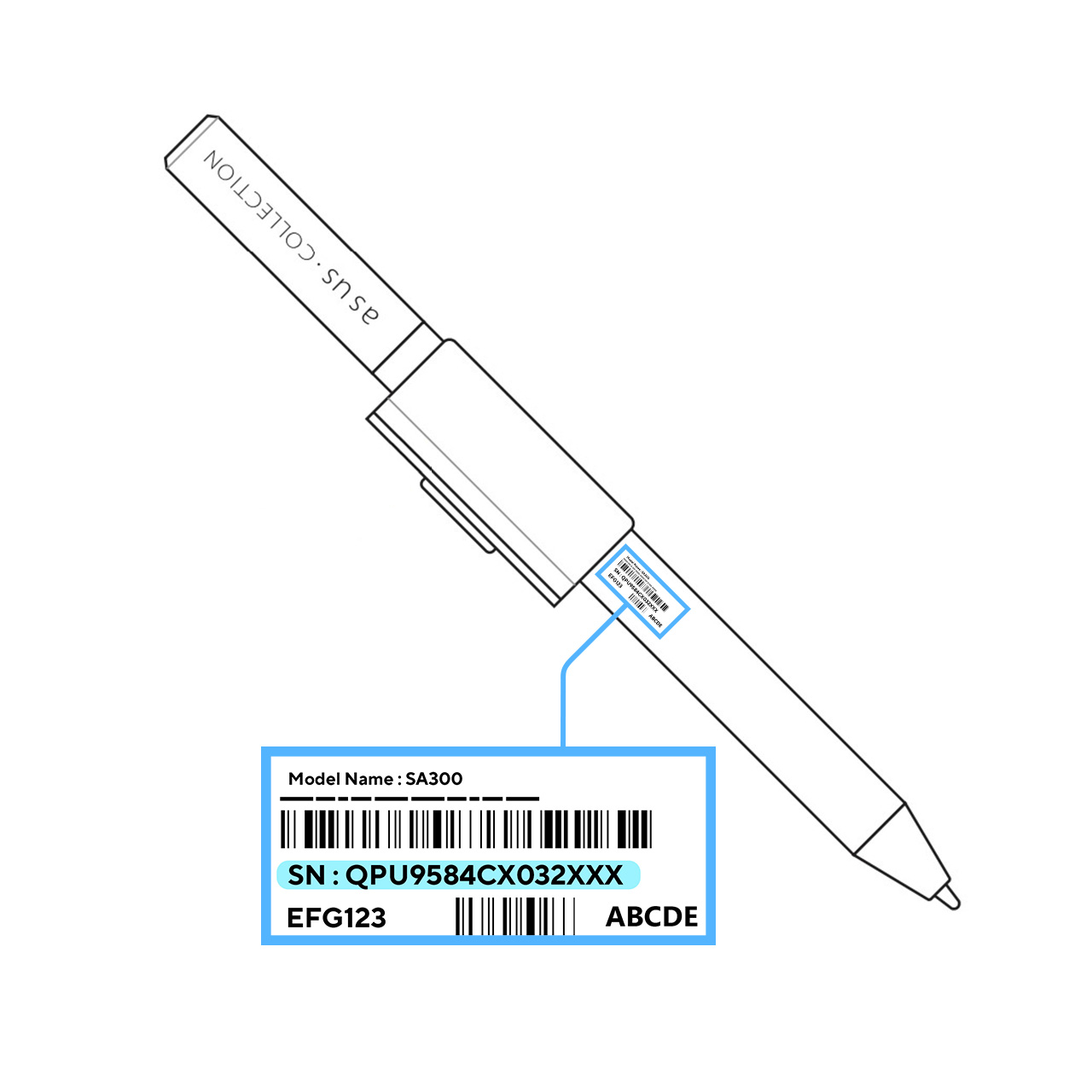
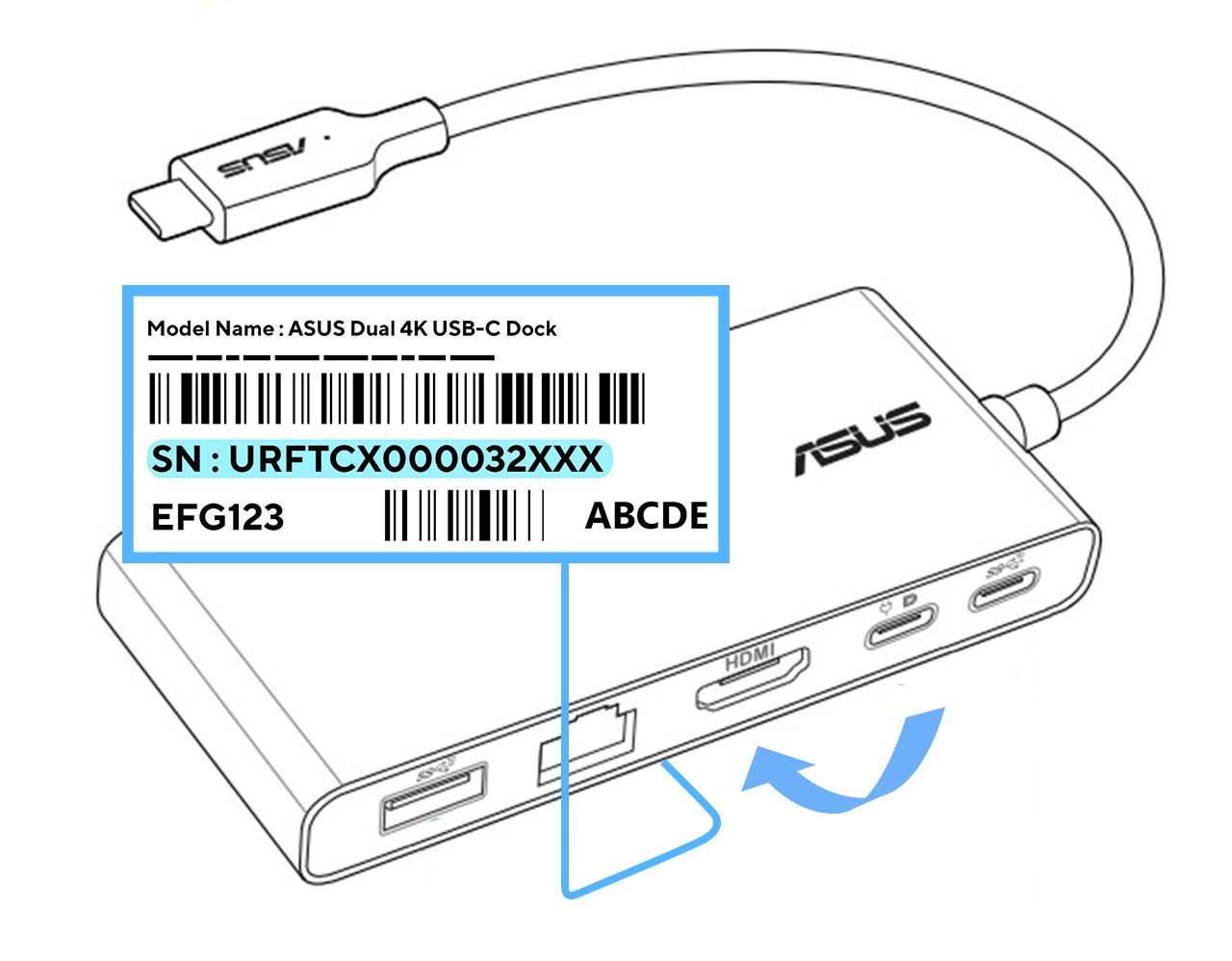
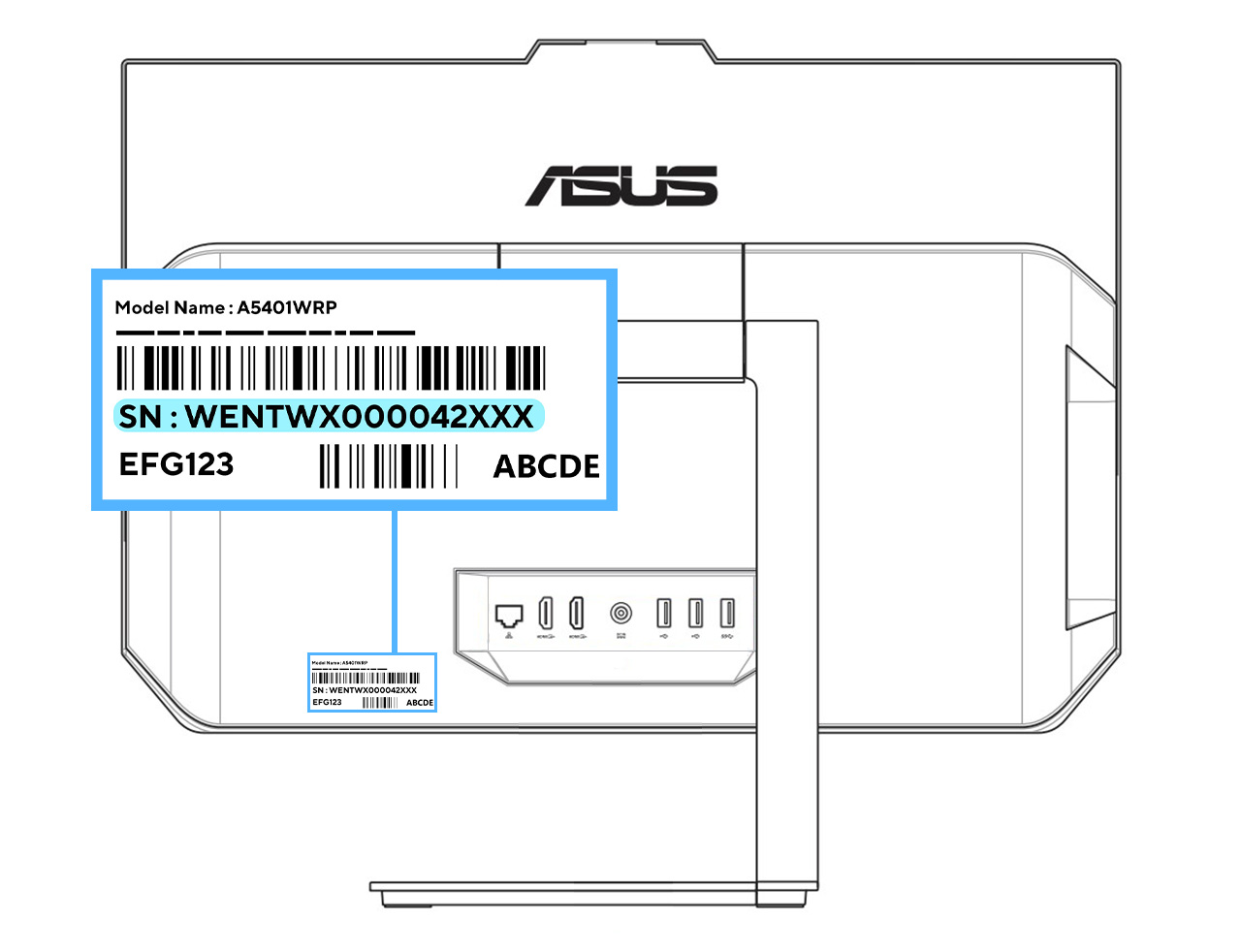
The serial number (SN) can be found on the package of your device.
For computers, it can also be found in the bios (press F2 at start-up to access it), and for Windows devices, you can find it via a DOS command prompt:
To do this, right-click on the Windows logo (start menu) --> click on "Run" --> type "cmd" --> and enter the following command line: wmic csproduct get name, identifyingnumber
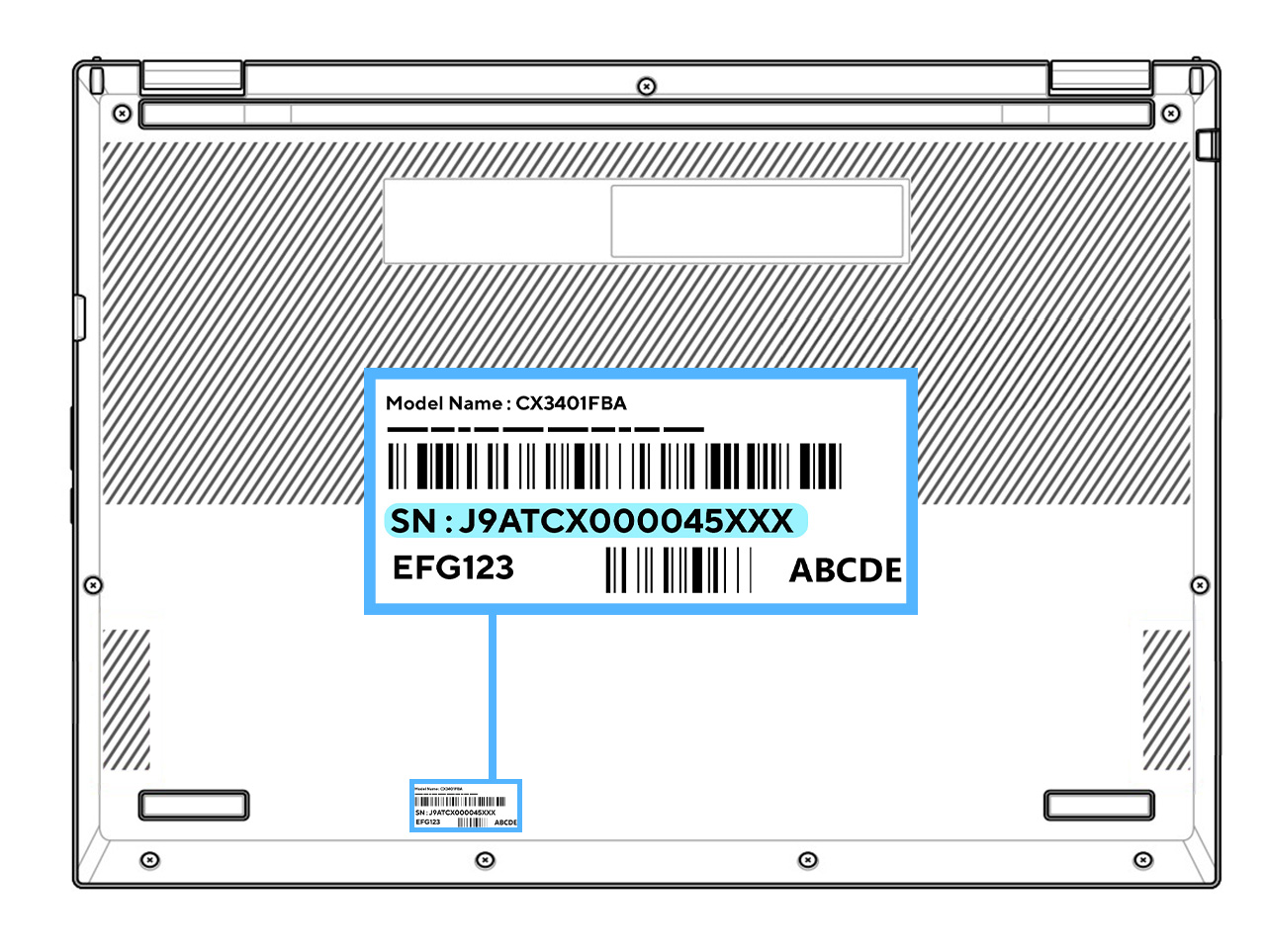
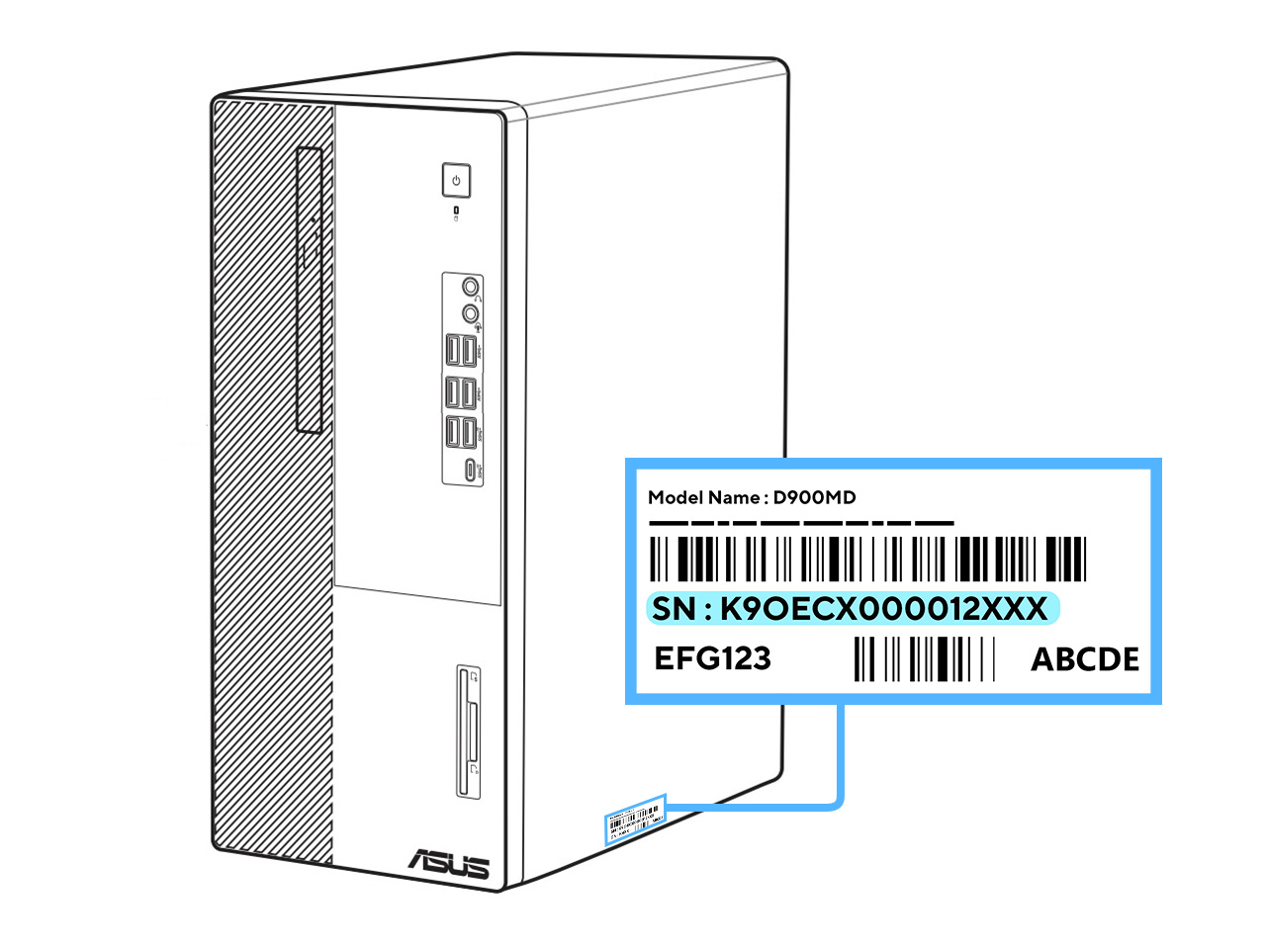
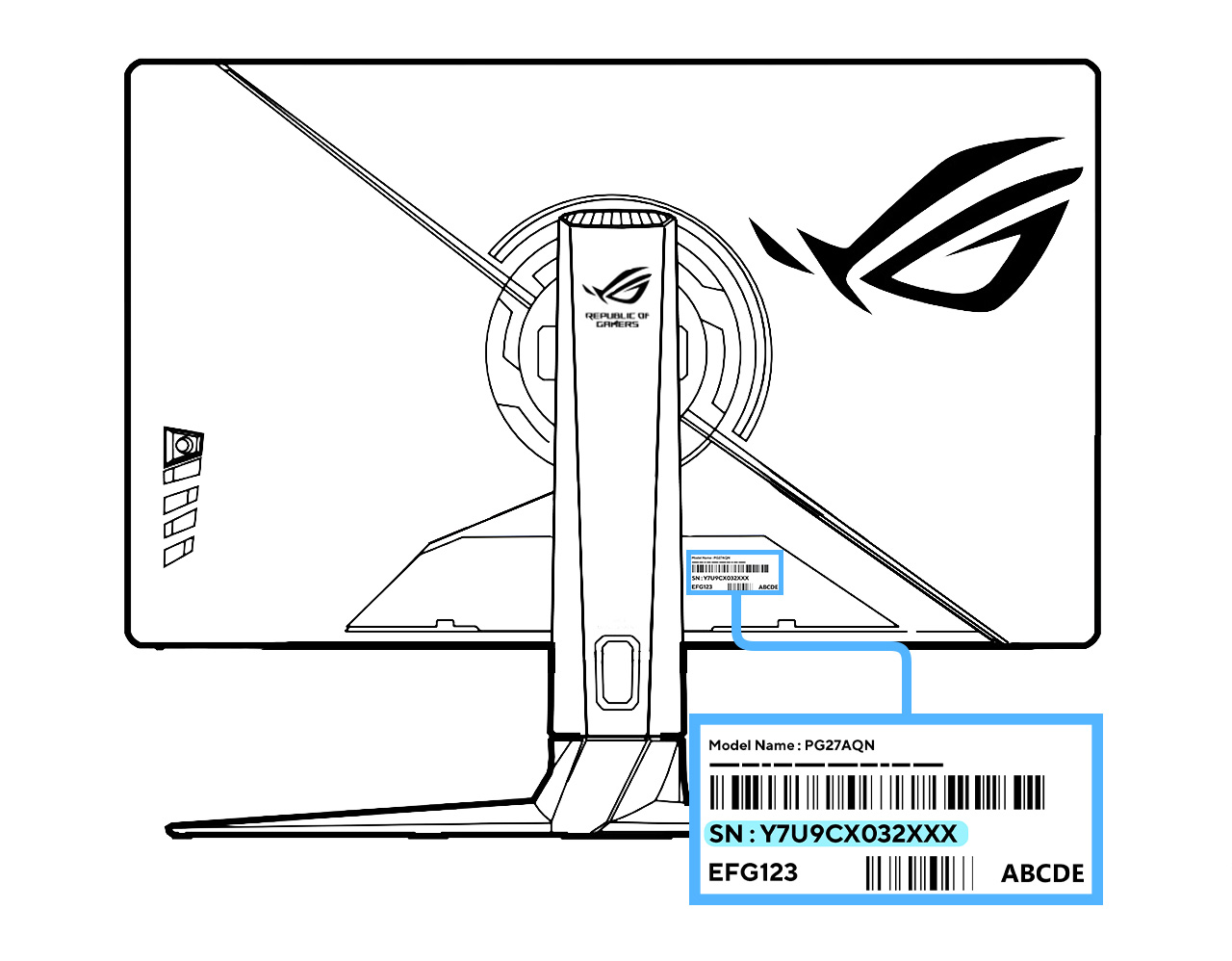
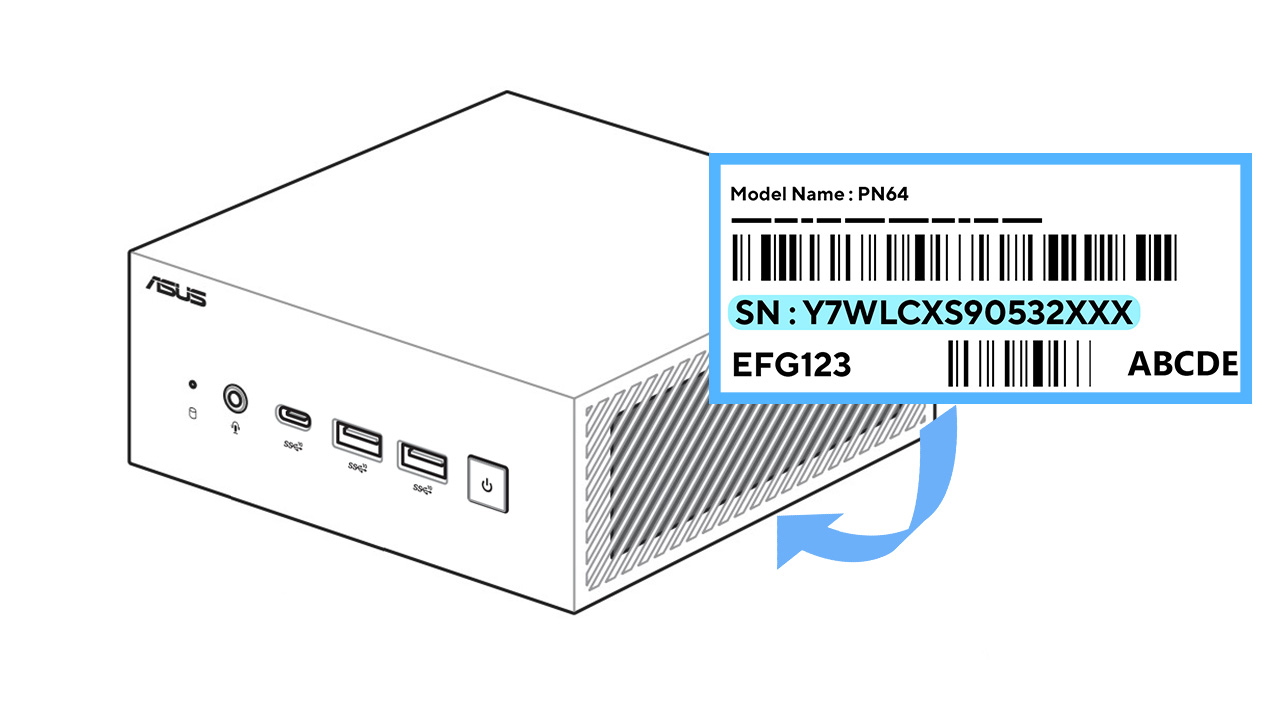
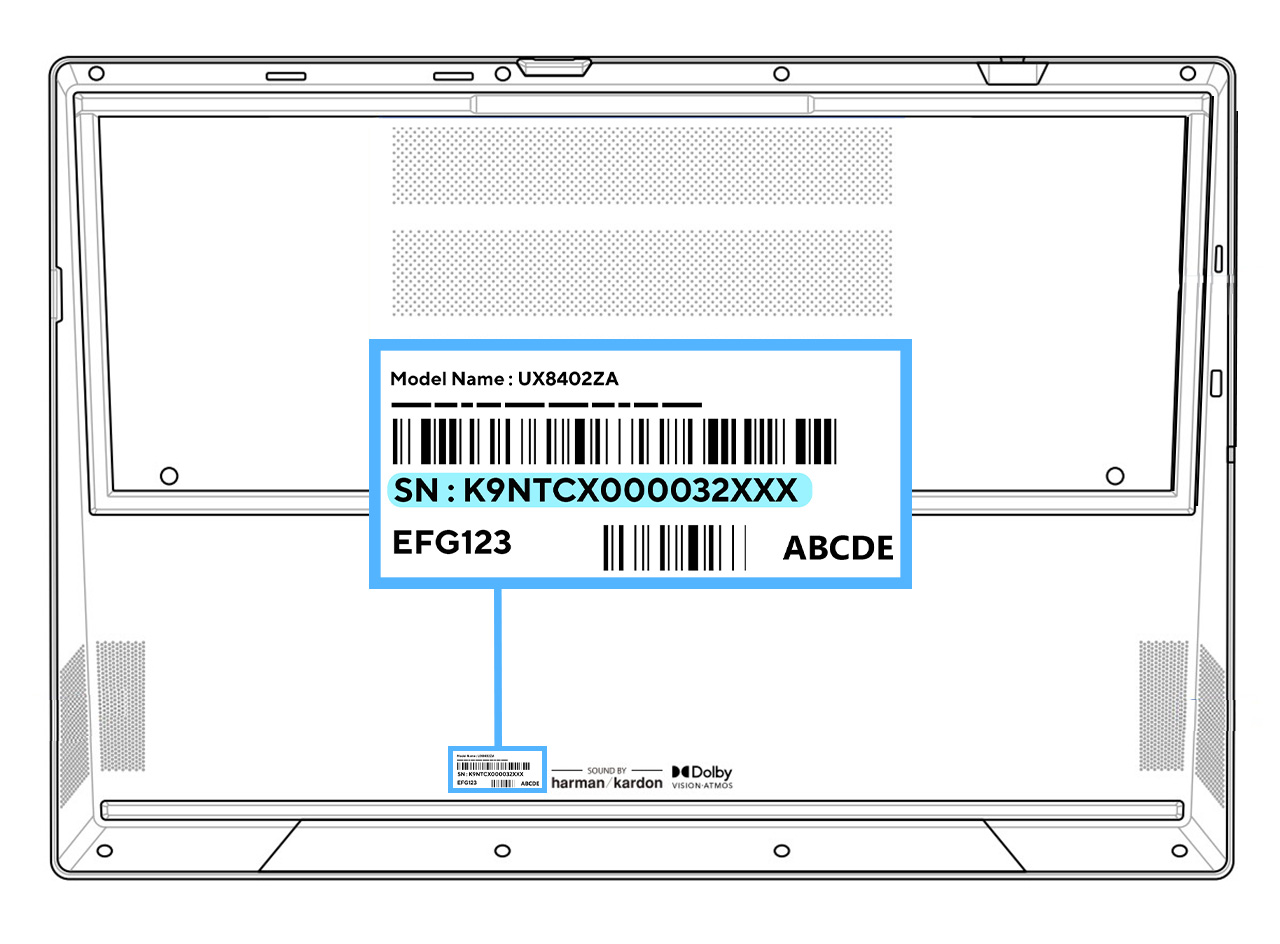
To locate the SN from your device's label, select your device:
- Accessories
- AiO PC
- Chromebook
- Desktop Chassis
- Desktop PC
- LCD Monitor
- Mini PC and ChromeBox
- Notebook
- Gaming Handhelds
- ROG Phone and ZenFone
Accessories
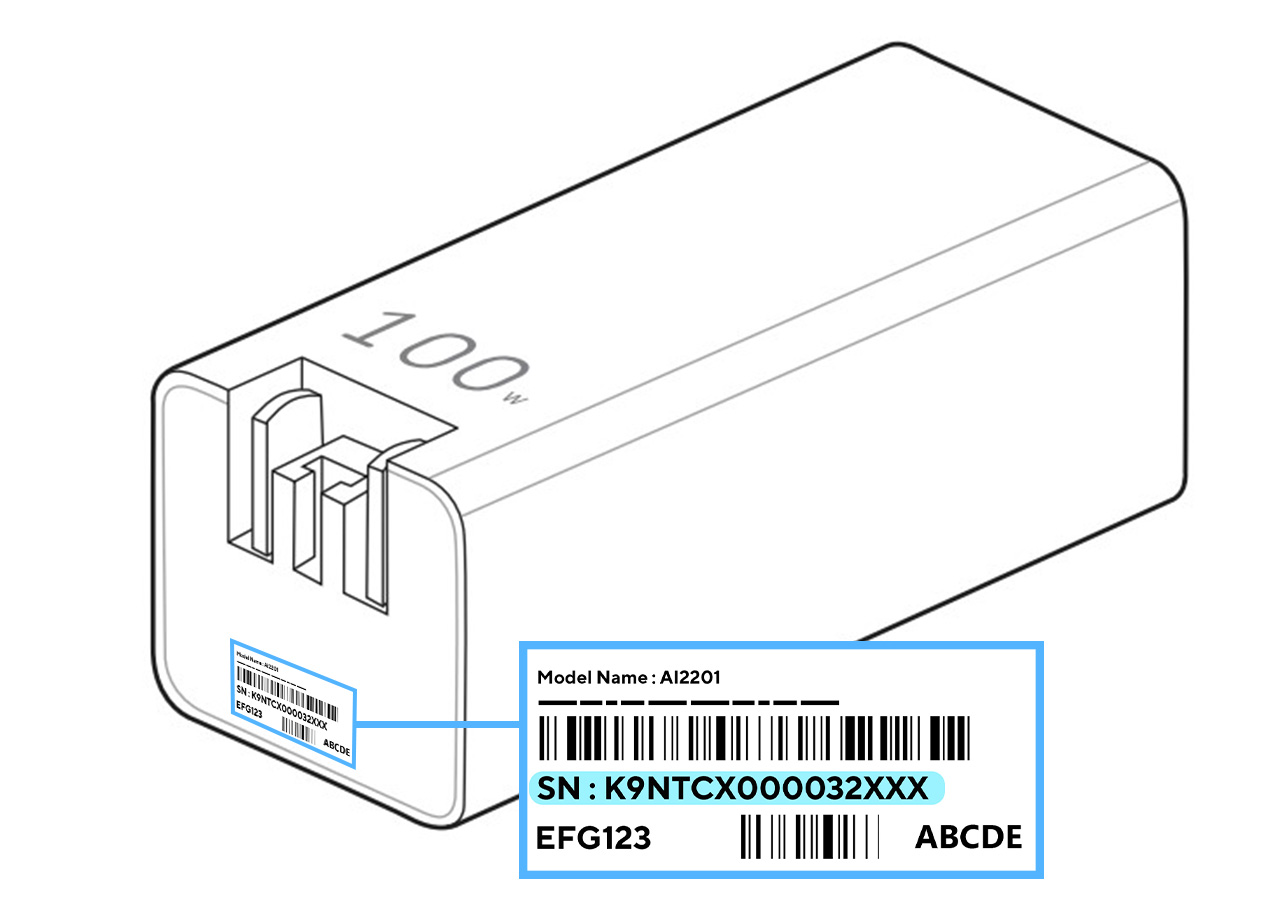
- Adapter
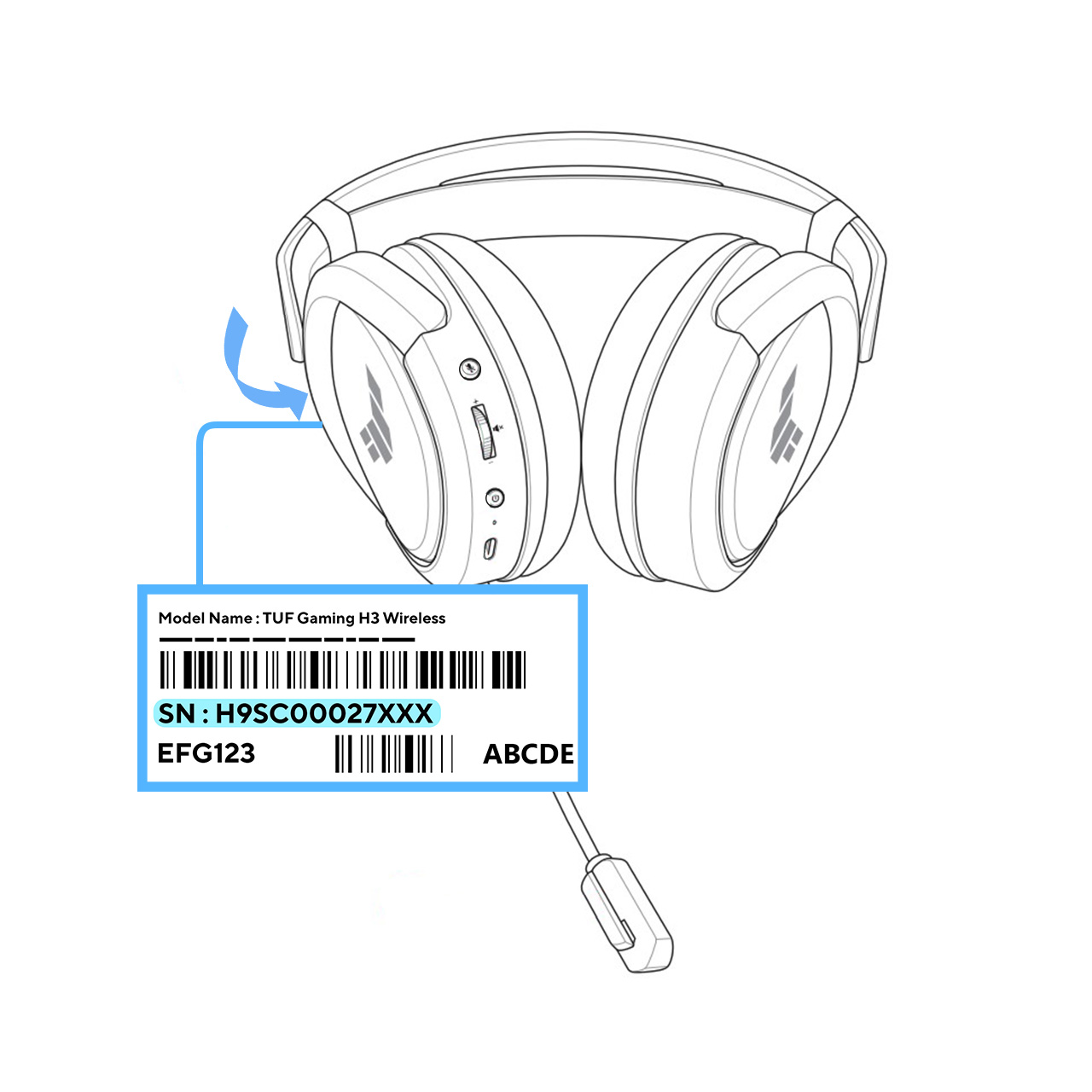
- Headset
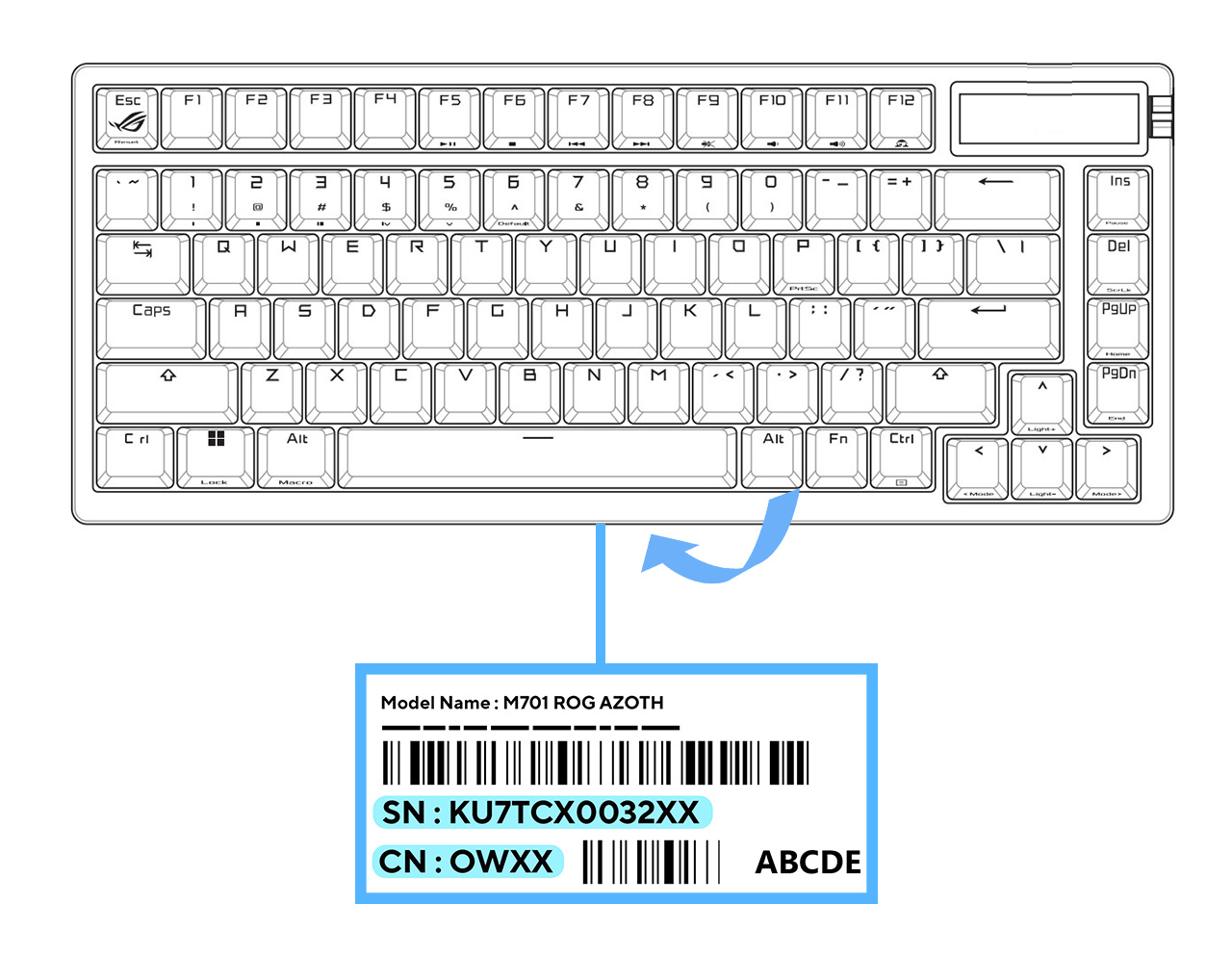
- Keyboard
- Mouse
- Stylus
- USB Dock
AiO PC
Chromebook
Desktop Chassis

Desktop PC
LCD Monitor
Mini PC and Chromebox
Notebook
Handheld Gaming Consoles

ROG Phone and ZenFone